
XDA-Developers ran a piece this month titled “After two years of hoarding services, I finally cleaned up my homelab, and it feels incredible.” The author found dozens of containers running that nobody had touched in months. Anyone who has hosted anything for more than a year recognizes the pattern. New service goes up, works, gets forgotten. Six months later, it is silently pulling images and eating RAM.
We tested eight desktop apps that audit self-hosted service sprawl in 2026. The list covers container inventory, uptime, image drift, dependency mapping, and cleanup. Every pick runs on Windows, macOS, and Linux, and most are open source.
What to look for in a service audit tool
A good audit tool answers four questions without pulling teeth:
- What is actually running right now, on which host, and since when
- Which images are pulling from public registries, and which ones have not been updated in months
- What depends on what, so you know which container is safe to stop
- What is actually being hit by users, versus what is running for no one
A dashboard is only useful if it tells you what to delete. Pretty tiles that just repeat docker ps do not count.
Quick comparison
| App | Best for | License | Platforms | Deploy |
|---|---|---|---|---|
| Portainer | Container inventory and control | BSL / Free CE | Windows, macOS, Linux, Docker | Container |
| Beszel | Lightweight host and container metrics | MIT | Windows, macOS, Linux, Docker | Container or binary |
| Homepage | Central service dashboard | GPL | Docker on any OS | Container |
| Whats up Docker | Image drift and update alerts | MIT | Docker on any OS | Container |
| Diun | Docker image update notifications | MIT | Windows, macOS, Linux, Docker | Container or binary |
| Uptime Kuma | Real-user uptime and probe | MIT | Windows, macOS, Linux, Docker | Container or Node |
| Dockge | Docker Compose stack manager | MIT | Docker on any OS | Container |
| Watchtower | Automated container image updates | Apache | Docker on any OS | Container |
The apps
1. Portainer — Best inventory of what is actually running
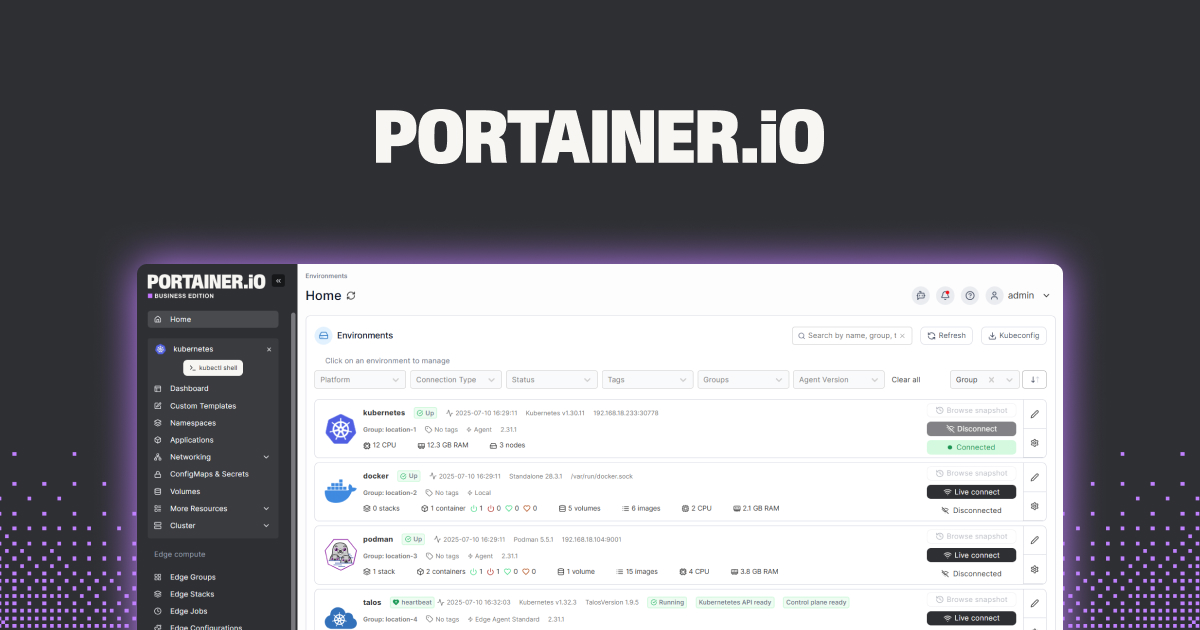
Portainer is the go-to container UI for a reason. Point it at your Docker or Kubernetes endpoints, and you get a browser view of every container, image, network, and volume across every host. The “unused” filters on images and volumes are the ones that pay for the install: they show you exactly what you can delete safely.
Where it falls short: The community edition covers most homelab needs; multi-cluster and per-team RBAC features sit in Business. The UI takes a couple of hours to learn well.
Pricing:
- Free: Portainer Community Edition, single environment, unlimited containers.
- Paid: Business Edition for teams, extra RBAC, multi-cluster.
Platforms: Runs as a container on Windows, macOS, Linux, or a NAS.
Download: Portainer for Docker, Kubernetes, Nomad
Bottom line: If you can only install one thing on this list, install Portainer.
2. Beszel — Best lightweight metrics for actual usage
Beszel is a self-hosted monitor for hosts and containers with a footprint measured in single-digit megabytes. Per-host CPU, memory, disk, network, and per-container the same. The point is spotting which containers are idle for weeks. Beszel makes that a graph, not a hunt.
Where it falls short: Not a metrics warehouse. No long-term historical dashboards like Prometheus and Grafana. Perfect for homelab, thin for production.
Pricing:
- Free, open source.
Platforms: Runs as a binary or a container on Windows, macOS, and Linux.
Download: Beszel — binary or Docker
Bottom line: The clearest signal for spotting containers that are not being used.
3. Homepage — Best single-page service inventory
Homepage is a self-hosted dashboard that pulls status, metrics, and integrations from your services and puts them on one screen. Used as an audit tool, it is the fastest way to answer “what did I even install here.” Editing the YAML files forces you to touch every service you added.
Where it falls short: YAML-first. Not a mouse-driven builder. The audit is a byproduct, not the primary feature.
Pricing:
- Free, GPL.
Platforms: Docker on Windows, macOS, or Linux.
Download: Homepage — Docker or Kubernetes
Bottom line: Configure Homepage as a checklist. Whatever is not on it, ask why it is still running.
4. Whats up Docker — Best image drift monitor
Whats up Docker (WUD) watches every container’s image, checks the registry for newer tags, and reports what is out of date. Perfect for finding the abandoned container that has been running an image last built two years ago.
Where it falls short: Notifications are the point, not automatic updates. Pair with Watchtower or update by hand.
Pricing:
- Free, MIT.
Platforms: Container, runs on any Docker host.
Download: Whats up Docker — Docker
Bottom line: The clearest map of image freshness across your whole stack.
5. Diun — Best per-image update notifier
Diun is a lighter alternative to WUD for admins who only want to be told when a new image tag is available for a watched list. Notifies via most chat platforms including Discord, Slack, Telegram, and email.
Where it falls short: Only tracks images you tell it to. Not a discovery tool.
Pricing:
- Free, MIT.
Platforms: Container or binary on Windows, macOS, Linux.
Download: Diun — Docker or binary
Bottom line: Cheaper on resources than WUD if you only care about a curated set.
6. Uptime Kuma — Best real-user uptime probe
Uptime Kuma is the self-hosted uptime monitor most homelab admins already run. Used as an audit tool, its value is different: services that report zero traffic for weeks are the same services worth deleting.
Where it falls short: Uptime Kuma tells you if a service is up, not whether anyone used it. Pair with your reverse proxy’s access logs for a complete picture.
Pricing:
- Free, MIT.
Platforms: Runs on Windows, macOS, Linux, or Docker.
Download: Uptime Kuma — Docker or Node
Bottom line: If a probed service has been up for six months and nothing uses it, that is a delete candidate.
7. Dockge — Best Docker Compose stack cleanup
Dockge manages Docker Compose stacks with a UI that treats each stack as a first-class object. Great for audit because it shows you every compose file you have deployed, all editable in the same place. Sprawl becomes visible when it is all listed on one screen.
Where it falls short: Compose-only. Does not handle standalone containers, Kubernetes, or Swarm.
Pricing:
- Free, MIT.
Platforms: Docker on any OS.
Download: Dockge — Docker
Bottom line: If your homelab is compose-driven, Dockge is the cleanup UI you have been missing.
8. Watchtower — Best automatic image updater
Watchtower watches your containers and pulls new images automatically as they land. Used carefully, it prevents the audit problem in the first place, because containers do not silently rot on ancient images.
Where it falls short: Auto-updates are only as safe as your compose files’ image tags. Point Watchtower at :latest and expect surprises.
Pricing:
- Free, Apache.
Platforms: Docker on any OS.
Download: Watchtower — Docker
Bottom line: Turn on for images you trust to update cleanly, leave off for anything that has ever broken a database migration.
How to pick the right one
- If you want one dashboard that covers most of the audit job: Portainer. It is the tool with the widest coverage of “what is running and what can I delete.”
- If your homelab is huge and you want the “who is not being used” answer fast: Beszel plus Uptime Kuma. The metrics tell you idle, the probes tell you unused.
- If old images are your specific problem: Whats up Docker for discovery, Diun for a curated list, Watchtower for the automatic fix.
- If you already run everything through Docker Compose: Dockge, because it puts every stack on one page and makes the deletion decision obvious.
- If you tried Portainer and hated it: Beszel plus Homepage covers the same ground with a lighter footprint and a very different UX.
FAQ
What is the best free self-hosted service audit tool?
Portainer Community Edition covers the widest audit surface for free. Beszel is the lightest option focused on usage metrics.
How do I find containers that nobody uses?
Combine a metrics tool like Beszel with an uptime monitor like Uptime Kuma and your reverse proxy’s access logs. Services that show idle CPU, no probe traffic, and no HTTP hits are the ones to delete.
Should I run Watchtower on everything?
No. Watchtower is safe for containers with stable release channels and versioned tags. For anything that runs a database migration on startup or has breaking changes across minor versions, review updates manually.
Do these tools work on a Synology or QNAP NAS?
Yes. Every app on this list runs as a Docker container and deploys on any NAS with Docker support.
Which one shows dependencies between services?
Portainer surfaces container networks and links, which is the closest most tools get. For deeper dependency mapping, look at Kubernetes-native tooling such as Kiali if your homelab is on k3s or k8s.
How often should I audit my homelab?
Once a quarter is enough for most homelabs. The reason to audit more often is a specific event: a resource crunch, a security advisory, or a service that broke silently and stayed broken.
