Why people leave Google Lens
Google Lens is the default visual search on most Android phones, but people keep looking around for reasons that stack up:
- Every scan feeds Google’s ad graph. Users on privacy subreddits treat that as a hard no.
- Merged features with Google Search (Circle to Search, Lens in Search) blur what triggers what and where results come from.
- Object identification quality dropped for a while during the 2025 vision model transition; a lot of longtime users left during that period and haven’t come back.
- Some regional bans and account requirements block Lens features for users on secondary Google accounts or region-shifted devices.
If any of that pushed you to look, here are 7 Google Lens alternatives worth trying on Android in 2026.
Quick comparison
| App | Best for | Free plan | Paid starts at | Standout feature |
|---|---|---|---|---|
| Microsoft Bing | Cross-platform visual search | Free with ads | Free | Bing Image Match |
| Yandex Start | Reverse image search | Free | Free | Best reverse image results |
| CamFind | Fast object identification | Free | Free | Point-and-shoot search |
| PictureThis | Plant identification | Free trial | $30/yr Premium | Accurate species ID |
| TapTapSee | Blind and low-vision users | Free | Free | Voice narration of scenes |
| Similar features via Google app | Free | Free | Circle to Search | |
| Google Earth | Location-based visual search | Free | Free | Landmark identification |
The alternatives
1. Microsoft Bing -- best for cross-platform visual search

Microsoft Bing ships a visual search that rivals Lens for shopping, landmarks, and text extraction. Copilot integration adds context and follow-up questions once results appear.
Where it falls short: Ad-heavy results page. Some Copilot features require a Microsoft account.
Pricing:
- Free with ads
- No paid tier
- vs Google Lens: different vendor with a similar-quality vision model
Migrating from Google Lens: Install Bing, tap the camera icon in the search bar, snap and search.
Bottom line: Bing is the pick if you want a straight vendor swap with Copilot as a bonus.
2. Yandex Start -- best for reverse image search

Yandex Start houses one of the most powerful reverse image search engines available. Where Google Lens returns ‘similar products,’ Yandex often finds the exact photo across the web.
Where it falls short: Russian-language interface bits still surface in some regions. Data policies differ from Google’s — read them if privacy is the reason you’re leaving Lens.
Pricing:
- Free
- No paid tier
- vs Google Lens: much better for reverse image search, similar for object ID
Migrating from Google Lens: Open Yandex, tap the camera, upload or capture the photo.
Bottom line: Yandex is the pick for finding where an image originally appeared.
3. CamFind -- best for point-and-shoot object identification

CamFind was one of the first visual search apps and still nails the basic loop: snap a photo, get a text description and shopping links. It handles labels, products, plants, and animals without a Google account.
Where it falls short: Results are simpler than Lens. No AI follow-up conversation, no Circle-to-Search style refinement.
Pricing:
- Free with in-app upgrades
- No subscription
- vs Google Lens: simpler results but zero Google account tie-in
Migrating from Google Lens: Install, grant camera permission, start snapping.
Bottom line: CamFind is the pick for privacy-conscious general visual search.
4. PictureThis -- best for plant identification
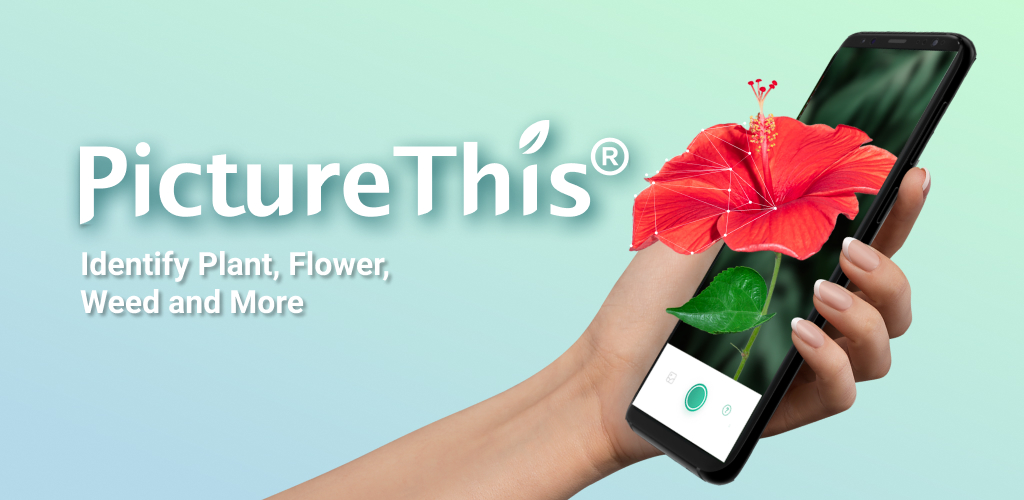
PictureThis identifies plants, tree species, and common garden problems from a single photo with better accuracy than Google Lens in field tests. Care tips, watering schedules, and disease diagnosis add value gardeners actually use.
Where it falls short: Trial-to-paid conversion is aggressive. Some features require the paid plan after a short free window.
Pricing:
- Free trial (limited scans)
- Premium: about $30/year
- vs Google Lens: specialized and more accurate for plants
Migrating from Google Lens: Install, take a photo of the plant, follow the care recommendations.
Bottom line: PictureThis is the pick if plants are the main thing you’re identifying.
5. TapTapSee -- best for blind and low-vision users

TapTapSee identifies objects and reads results out loud through the phone’s accessibility voice. Built for blind and low-vision users, but useful for anyone wanting narrated visual search.
Where it falls short: Not built for shopping or landmarks. Interface is intentionally minimal.
Pricing:
- Free
- No paid tier
- vs Google Lens: specialized for accessibility, weaker for general visual search
Migrating from Google Lens: Install, snap or double-tap the screen with the accessibility service on, listen to the description.
Bottom line: TapTapSee is the pick when accessibility is the point.
6. Google -- best for Circle to Search without Lens directly

The Google app offers Circle to Search, Google Lens-style camera, and text-based follow-up questions. If you left Lens because of interface changes rather than Google itself, this brings back some of the older behavior.
Where it falls short: Same vendor as Lens with the same data model. Not the pick if privacy is what drove you away.
Pricing:
- Free
- No paid tier
- vs Google Lens: same underlying vision model with a different wrapper
Migrating from Google Lens: Open the Google app, tap the camera icon in the search bar.
Bottom line: The Google app is the pick if Lens’s specific UI is the problem, not Google itself.
7. Google Earth -- best for landmark identification
Google Earth lets you point at a location or upload a photo and identify landmarks, buildings, and geography. Useful for travel research when Lens gives up on a distant photo.
Where it falls short: Not a general visual search tool. Best paired with another app for non-landmark queries.
Pricing:
- Free
- No paid tier
- vs Google Lens: specialized for places, useless for products
Migrating from Google Lens: Install, search the location or drag the pin, use Street View for a visual match.
Bottom line: Google Earth is the pick for identifying places, not products.
How to choose
- Pick Microsoft Bing for a like-for-like Lens swap with Copilot. Best all-rounder outside Google.
- Pick Yandex Start for reverse image search. Nothing else on this list matches it.
- Pick CamFind if you want visual search without a Google account. Simple and private.
- Pick PictureThis for anything green. Plant-specific accuracy beats Lens.
- Pick TapTapSee for accessibility. Voice narration is the point.
- Pick Google Earth for landmarks and geography. Different tool for a different job.
- Stay on Google Lens if Circle to Search and homework help are central to how you use your phone. Nothing else here nails those two.
FAQ
What is the best free Google Lens alternative?
Microsoft Bing and Yandex Start are both fully free with strong visual search. CamFind is free with optional upgrades.
Which alternative has the best reverse image search?
Yandex Start. It routinely finds exact-match sources for images that Lens returns ‘similar images’ for.
Which alternative is best for privacy?
CamFind and TapTapSee are the least Google-account-tied. Yandex has different data policies than Google — read them before switching for privacy reasons.
Can I identify plants without Google Lens?
PictureThis is more accurate than Lens for species-level plant identification. Free trial, then a modest annual subscription.
Is there an offline visual search app?
Not really. All meaningful visual search requires uploading photos to a cloud service. Only the barest OCR features run on-device.