A $5 VPS is enough to run a real home lab. One vCPU, 1 GB of RAM, and 20 GB of disk covers a personal PaaS, a reverse proxy with TLS, an uptime monitor, and a container UI, provided the software is picked with an eye on RAM. XDA recently made the same point: renting a small VPS solves the problems a home network cannot (public IPv4, actual uptime, mail deliverability), and the setup that fits on it in 2026 is remarkably compact. Below are the seven apps that go on ours first.
What to look for in budget VPS home lab software
- Low idle RAM footprint. A 200 MB idle service on a 1 GB box is a poor trade.
- Docker-native. Everything runs in containers, and the deploy loop is
git push, service updates. - Zero-config TLS. Let’s Encrypt should be automatic, not a manual chore.
- Multi-project support. One VPS often runs five or ten small services. The tool has to keep them separate without extra boilerplate.
- Rollback and preview environments. Broken deploys should be one click to revert.
- Sensible web UI. SSH-only tools have a place, but the point of a home lab is not to relearn systemd every week.
Quick comparison
| App | Best for | Platforms | Free plan | Idle RAM | Note |
|---|---|---|---|---|---|
| Coolify | Full self-hosted PaaS | Linux Docker | Yes | ~350 MB | 280+ one-click services, largest community |
| Dokploy | Lightweight Coolify alternative | Linux Docker | Yes | ~200 MB | Faster UI, growing catalog |
| CapRover | Heroku-shaped simplicity | Linux Docker Swarm | Yes | ~150 MB | Battle-tested one-click apps |
| Portainer | Container management UI | Linux Docker/Kubernetes | Yes | ~120 MB | Best raw container control |
| Nginx Proxy Manager | Reverse proxy with a UI | Linux Docker | Yes | ~80 MB | Easiest TLS routing |
| Uptime Kuma | Self-hosted status monitor | Linux Docker | Yes | ~100 MB | Watches everything you deploy |
| Beszel | Lightweight VPS monitoring | Linux Docker | Yes | ~30 MB | Sits under all of the above |
The apps
1. Coolify - Best self-hosted PaaS
Coolify is the app most home labs settle on. It gives you a Heroku-shaped workflow (git push, watch it deploy) on your own VPS, with 280+ one-click services in the catalog and preview deployments per branch. GitHub, GitLab, and Bitbucket integrations are first-class. On a 1 GB VPS, Coolify itself sits around 350 MB idle, which leaves enough room for a handful of small apps beside it.
Where it falls short: the idle RAM is a real ask on the smallest boxes. Docs are broad but not always deep.
Pricing:
- Free: self-hosted, Apache 2.0
- Paid: Coolify Cloud starts around $5/mo if you want managed hosting
Platforms: Docker on any Linux VPS
Download: coolify.io
Bottom line: the default recommendation, provided your VPS has 1 GB or more.
2. Dokploy - Best lightweight alternative to Coolify
Dokploy picked up steam in 2025 as the “lighter Coolify” and by 2026 has passed CapRover on GitHub stars. The UI is faster, the catalog is smaller (which is a feature on a tiny box), and idle RAM is roughly half Coolify’s. Traefik-based routing with Let’s Encrypt is on by default.
Where it falls short: smaller ecosystem, fewer template apps. Docs are catching up.
Pricing:
- Free: MIT licensed, self-hosted
- Paid: none
Platforms: Docker on any Linux VPS
Download: dokploy.com
Bottom line: the pick when Coolify’s RAM footprint is too much for the box.
3. CapRover - Best for one-click app deployments
CapRover is the older PaaS on this list and the most stable. Uses Docker Swarm for multi-server support, ships an “app store” of one-click deployments (WordPress, Ghost, Nextcloud, Vaultwarden, roughly 100 templates), and idles under 200 MB. The Nginx-based routing has been rock-solid for years.
Where it falls short: the UI has not kept pace with Coolify and Dokploy. Docker Swarm is out of fashion, though for a single-node home lab that does not matter.
Pricing:
- Free: Apache 2.0
- Paid: none
Platforms: Docker Swarm on any Linux VPS
Download: caprover.com
Bottom line: the tool for people who want boring, working infrastructure.
4. Portainer - Best raw container UI
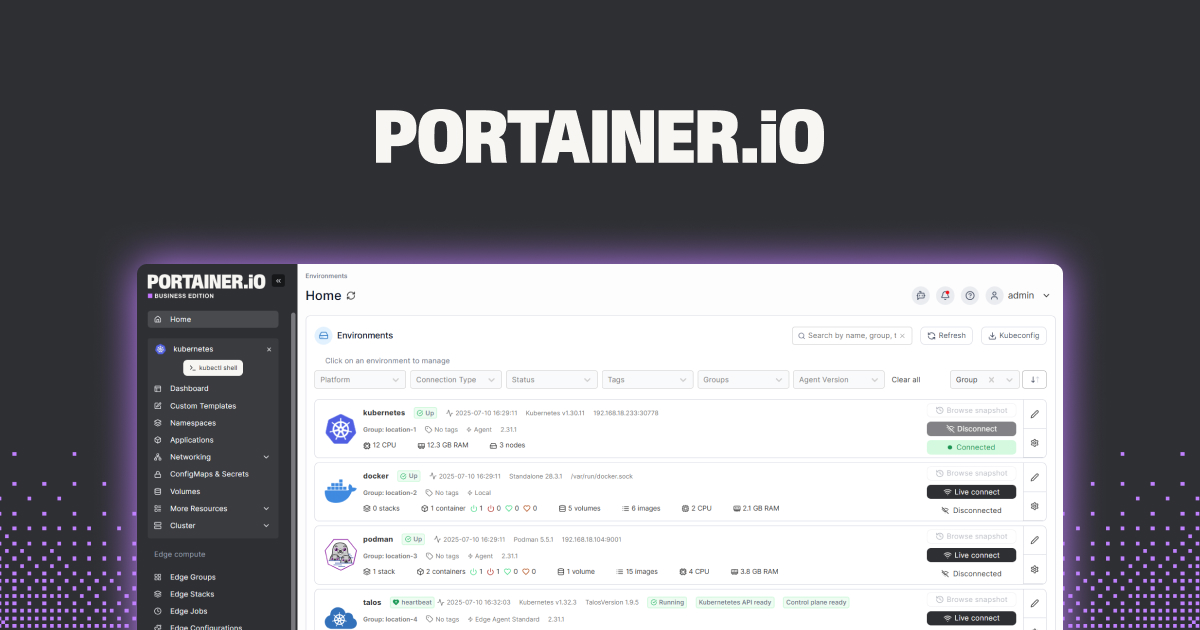
Portainer does not try to be a PaaS. It gives you a web UI over Docker (and Kubernetes) so you can view logs, restart containers, edit env vars, and browse volumes. On a small VPS it is a good “beneath everything else” tool: install Coolify or Dokploy for the deploy loop, run Portainer alongside for the moments when you need to poke at a container directly.
Where it falls short: the free Community Edition caps managed nodes at three; commercial features unlock in the Business Edition.
Pricing:
- Free: Community Edition
- Paid: Business Edition, roughly $500/year for five nodes
Platforms: Docker or Kubernetes on any Linux VPS
Download: portainer.io
Bottom line: the safety net when the PaaS abstraction leaks.
5. Nginx Proxy Manager - Best standalone reverse proxy
Nginx Proxy Manager is the simplest way to route domains to services on a VPS with TLS. Point domain, pick service, hit save, and it configures nginx and pulls a Let’s Encrypt cert. Runs alongside Docker Compose or on its own, and idles under 100 MB.
Where it falls short: less flexible than raw Traefik or Caddy for advanced routing rules. Not ideal if the PaaS you picked already handles routing (Coolify and Dokploy do).
Pricing:
- Free: MIT
- Paid: none
Platforms: Docker on any Linux VPS
Download: nginxproxymanager.com
Bottom line: the pick when you are not using a PaaS or when you want a UI in front of raw containers.
6. Uptime Kuma - Best status page and monitor
Uptime Kuma watches everything you deploy and pings you when something breaks. Supports HTTP, TCP, ping, DNS, keyword, and JSON path checks. Ships an optional public status page. Notifications cover Discord, Telegram, Pushover, ntfy, email, and a couple of dozen others. Idle RAM is around 100 MB.
Where it falls short: single-user. Team notifications route through channels rather than proper roles.
Pricing:
- Free: MIT
- Paid: none
Platforms: Docker on any Linux VPS
Download: uptime.kuma.pet
Bottom line: the monitor everyone installs first after the PaaS.
7. Beszel - Best lightweight VPS metrics collector
Beszel is the newer, tiny alternative to full Prometheus and Grafana. A hub-and-agent design: one Beszel hub UI, one lightweight agent per machine, and you get CPU, memory, disk, network, and Docker container stats without the ceremony. Under 30 MB per agent, which is a fraction of what a Prometheus node exporter costs.
Where it falls short: newer project, fewer integrations than Prometheus. Alerting is basic.
Pricing:
- Free: MIT
- Paid: none
Platforms: Docker on any Linux VPS, agent runs on Linux, macOS, Windows
Download: beszel.dev
Bottom line: the metrics tool for the “I do not want to run Grafana” crowd.
How to pick the right one
- If the VPS has 2 GB of RAM or more: Coolify plus Nginx Proxy Manager (or just Coolify’s built-in routing), Portainer, Uptime Kuma, Beszel.
- If the VPS has 1 GB of RAM: Dokploy or CapRover, Nginx Proxy Manager, Uptime Kuma, Beszel.
- If the VPS has under 1 GB: skip the PaaS, run Docker Compose by hand with Nginx Proxy Manager and Uptime Kuma.
- If you already know Docker and want a web UI without a PaaS layer: Portainer plus Nginx Proxy Manager.
- If a single service dominates the VPS (Vaultwarden, Immich, Nextcloud): drop the PaaS entirely and manage that service directly.
FAQ
What is the cheapest VPS you can run Coolify on? Coolify itself asks for 2 GB of RAM as a comfortable minimum, though people run it on 1 GB boxes with swap. Providers like Hetzner, RackNerd, and Contabo have plans in the $4 to $6 per month range that clear that bar.
Which self-hosted PaaS is easiest to install?
CapRover ships a one-command install script that has worked reliably for years. Coolify’s curl | bash installer is also one command. Dokploy uses the same pattern.
Do I need Portainer if I run Coolify? Not for day-to-day work; Coolify covers most of Portainer’s job. Portainer stays useful when a container misbehaves outside Coolify’s abstractions.
What is a good replacement for Grafana on a tiny VPS? Beszel handles the metrics part in a fraction of the RAM. Uptime Kuma covers the up/down checks. Together they replace most of a small Prometheus + Grafana + Alertmanager stack.
Can I run all seven of these on the same $5 VPS? On 1 GB of RAM, no. Pick a PaaS, one router, one uptime monitor, one metrics tool. That is four apps, roughly 500 MB idle, and it leaves headroom for whatever you actually want to host.